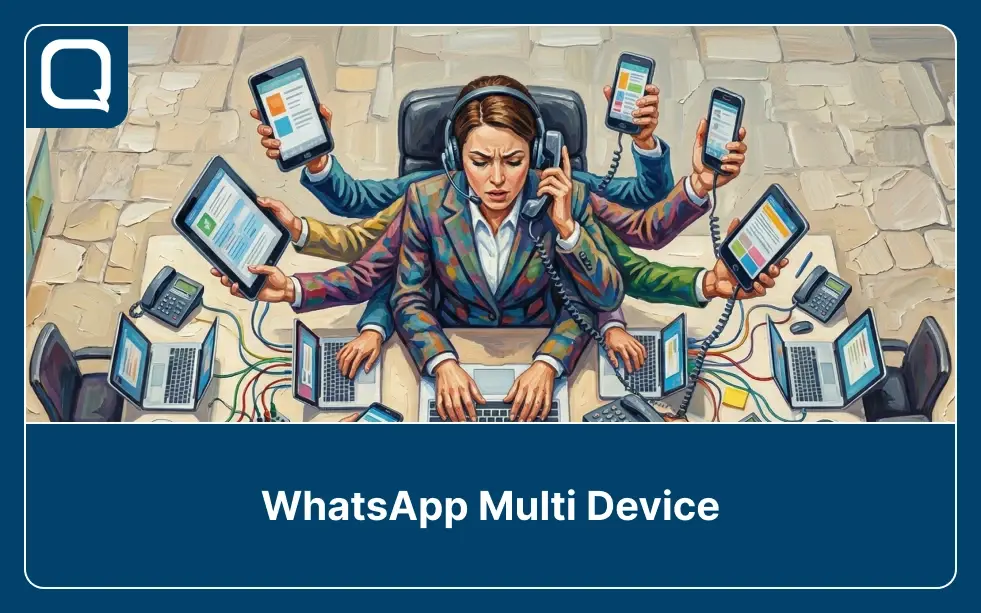
You’ve probably heard the term “WhatsApp multi device” thrown around as the solution to your team’s WhatsApp chaos. Multiple devices, multiple people, problem solved, right?
Not quite.
Here’s the thing: WhatsApp multi device and WhatsApp multi agent sound like the same thing. They’re not. And confusing the two is one of the most common mistakes growing businesses make when trying to scale their WhatsApp operations.
Teams invest time setting up multiple linked devices, only to discover the fundamental problem still exists.
This article sets the record straight. We’ll break down what WhatsApp multi device actually is, why it falls short for teams, and what genuine WhatsApp multi agent capability looks like, and why businesses in Malaysia, Singapore, the Philippines, and beyond are making the switch.
What Is WhatsApp Multi Device?
WhatsApp multi device is a native feature that lets a single WhatsApp or WhatsApp Business account run across up to four linked devices simultaneously, without requiring the primary phone to stay online.
Meta introduced this as a significant improvement over the older setup, where companion devices would disconnect the moment the primary phone went offline.
In practical terms, it means one person can stay active on a desktop, a tablet, and two other devices at the same time. For a solo business owner or a freelancer who needs to check messages across their laptop and phone, this is genuinely useful.
But for a business with a customer-facing team? Multi device solves the wrong problem. The issue was never that one person couldn’t access WhatsApp on enough devices.
The real issue is that multiple people need to manage conversations from a shared business number. Multi device, therefore, doesn’t address any of that.
Understanding the difference between WhatsApp Personal, WhatsApp Business, and the WhatsApp Business API is, consequently, the first step to choosing the right solution for your team.
Why WhatsApp Multi Device Isn’t Built for Teams
Meta designed the WhatsApp multi device feature for individual convenience, not team operations. When businesses try to use it as a team coordination tool, the same structural problems surface fast.
The moment more than one person handles a shared WhatsApp number through linked devices, the experience breaks down in predictable ways. No system assigns a conversation to a specific agent.
As a result, high-priority conversations that everyone assumes someone else will handle end up sitting unread.
There’s also no routing logic. An inquiry about a billing issue lands in the same undifferentiated inbox as a hot sales lead. Whoever picks it up first handles it — regardless of whether they’re equipped to.
There’s no way, therefore, to ensure a VIP customer reaches a senior account manager, or that a technical question goes to someone with the right expertise.
Performance visibility doesn’t exist either. Managers have no way to see which agent responded fastest, how long conversations have stayed open, or which team members are carrying more than their fair share.
Without this data, consequently, managers can’t identify problems early or make informed decisions about staffing.
These aren’t edge cases. They’re, in fact, the natural result of applying a single-user feature to a team workflow. For a deeper look at the advantages and disadvantages of the standard WhatsApp Business setup, it’s clear that the standard app suits small-scale operations.
Multi Device vs Multi Agent: The Key Differences
It’s worth being explicit about what separates these two approaches, because the gap is wider than most businesses expect.
WhatsApp multi device gives one account access on multiple devices. It offers no agent management, no routing, no assignment, and no performance tracking. The experience is, therefore, identical across all devices.
WhatsApp multi agent, built on the WhatsApp Business API and a proper platform, gives multiple team members individual access to a shared inbox with real structure behind it. The platform assigns conversations to specific agents.
Routing rules determine which conversation goes to which team. Supervisors, furthermore, maintain live visibility across the entire queue. Every agent sees the full conversation history. The system tracks and measures performance.
Here’s a simple breakdown:
| WhatsApp Multi Device | WhatsApp Multi Agent (API) | |
|---|---|---|
| Number of users | 1 account, multiple devices | Multiple agents, one number |
| Conversation assignment | ❌ None | ✅ Automated & manual |
| Routing logic | ❌ None | ✅ Rule-based routing |
| Full conversation history | ❌ Shared but unstructured | ✅ Per customer, all channels |
| Performance tracking | ❌ None | ✅ Real-time dashboards |
| Chatbot integration | ❌ Not supported | ✅ Fully supported |
| Scalability | ❌ Breaks under volume | ✅ Built to scale |
The conclusion is straightforward: multi device is a consumer convenience feature. Multi agent, on the other hand, is a business infrastructure decision. For teams beyond two or three people handling any meaningful volume of customer conversations, multi device is, ultimately, a workaround with a short shelf life.
What WhatsApp Multi Agent Actually Enables
When businesses implement WhatsApp multi agent properly through the WhatsApp Business API and a platform like Qiscus, it transforms how the entire team operates. The shift changes the structural foundation of how they manage conversations.
1. A Shared Inbox That Actually Works
All incoming WhatsApp messages land in a centralized dashboard where every agent has visibility, but the platform assigns each conversation to a specific team member, creating individual ownership and accountability.
An agent sees their own queue. A supervisor, meanwhile, sees the whole picture. No message falls through the cracks because someone assumed another person handled it.
2. Intelligent Conversation Routing
The system automatically directs conversations to the right person based on factors like keywords, customer tags, previous agent assignment, time of day, or inquiry type. For instance, the platform routes a customer who previously spoke to a specific sales rep back to that same rep. After-hours messages go to an on-call agent or a chatbot.
A high-value customer, additionally, gets escalated to a senior team member — all of this without any manual triage. This is one of the most powerful outcomes of a proper WhatsApp Business API implementation.
3. Full Context on Every Conversation
Every agent sees the complete conversation history with each customer, regardless of which agent handled previous interactions. Furthermore, team members can add internal notes that only the team can see, providing handoff context without cluttering the customer-facing chat.
No customer has to repeat themselves. No agent, therefore, starts a conversation blind.
4. Chatbot and AI Integration
Multi agent platforms let businesses deploy a chatbot or WhatsApp AI agent as the first line of response, handling FAQs, collecting qualifying information, and routing conversations before a human agent engages.
This hybrid model, consequently, dramatically expands the team’s effective capacity without adding headcount.
5. Performance Analytics and SLA Monitoring
Managers get real-time dashboards covering response times, resolution rates, agent workload, and queue depth. SLA alerts, moreover, flag conversations approaching response-time thresholds. Teams can now measure, manage, and improve performance in ways the standard app never allowed.
The cumulative effect of these capabilities is a WhatsApp operation that scales with business growth rather than collapsing under it.
Real Business Use Cases: WhatsApp Multi Agent in Action
The transition from multi device workarounds to proper multi agent infrastructure is happening across industries in Southeast Asia and beyond. Here’s what it looks like in practice.
1. E-Commerce: Seasonal Volume Management (Malaysia & Philippines)
Fast-growing online retail brands in Malaysia and the Philippines face brutal demand spikes during Ramadan, 12.12, and major sale events.
A customer service team of 8 agents managing order inquiries, return requests, and product questions on a shared WhatsApp number with multi device, only creates a chaotic inbox where conversations slip through and customers wait.
With a WhatsApp Business API setup and multi-agent routing, however, a chatbot handles tier-1 queries automatically (tracking numbers, return policies, stock availability) while human agents focus on the conversations that require judgment. As a result, response times drop and satisfaction scores recover.
2. Healthcare: Multi-Location Clinic Networks (Singapore & Philippines)
Private healthcare groups with multiple clinics across Singapore and Metro Manila need to present a single WhatsApp contact to patients while routing each conversation to the right location’s team. Multi device makes this impossible.
With multi agent routing based on patient location or clinic preference, however, the right staff member receives each inquiry automatically. Appointment bookings, test result queries, and follow-up messages consequently all reach the right team without patients navigating multiple numbers.
This is one of the clearest examples of better customer service through structured WhatsApp operations.
3. Financial Services: Lead-to-Advisor Handoffs (Malaysia & Singapore)
Insurance brokerages and wealth management firms in Malaysia and Singapore use WhatsApp as a primary lead engagement channel. A prospect who taps a Click-to-WhatsApp ad and starts a conversation needs to reach a qualified advisor.
Multi agent routing handles this automatically: a chatbot qualifies the lead (product interest, budget range, timeline), then routes to the advisor with the right specialization and current availability.
As a result, the advisor enters the conversation with full context already in hand. No cold starts, no lead leakage. For businesses working with a WhatsApp Business Solution Provider, this workflow is, in fact, standard.
4. Retail & Automotive: Dealership Group Operations (SEA)
Automotive dealership networks across Southeast Asia have turned WhatsApp into their primary channel for test drive bookings and vehicle inquiries.
With multi device, a shared number becomes unmanageable across a team of 15 sales consultants. With multi agent infrastructure, however, the system automatically routes inquiries by vehicle model interest, geographic location, and consultant availability.
Furthermore, a returning customer who previously spoke to a specific consultant gets routed back to that same person automatically, preserving relationship continuity on high-ticket purchases.
5. SaaS & B2B: Trial Onboarding at Scale (US & SEA)
B2B SaaS companies serving SMBs in Singapore, Malaysia, and the US use WhatsApp for trial activation sequences. When a user signs up for a free trial, a WhatsApp message initiates the onboarding flow. As questions come in, the system automatically associates them with the user’s CRM record and routes them to the assigned account executive.
This, consequently, transforms reactive support into proactive, context-rich selling. Understanding WhatsApp Business API pricing helps these teams, moreover, manage costs as they scale this workflow.
The Real Cost of Staying on Multi Device Too Long
Most businesses don’t actively choose to stay on a multi device setup. They just don’t feel the pain acutely enough to change until it’s already costing them significantly. The costs are real, but they accumulate gradually and often go unattributed.
Every lead that waits too long and buys from a competitor. Every customer complaint that escalates because the first message sat unanswered for 40 minutes. Every high-value opportunity that reaches a junior agent who lacks the context or authority to close it.
Every manager makes staffing decisions based on gut feel rather than data. These aren’t hypothetical scenarios, they’re, in fact, the lived reality of teams using multi device as a scaling solution.
In markets like Malaysia, Singapore, and the Philippines, the operational standard your business sets on WhatsApp is the standard customers use to evaluate you.
Implementing a proper omnichannel customer service approach is, therefore, what separates businesses that retain customers from those that lose them to faster competitors.
How Qiscus Powers WhatsApp Multi Agent for Growing Businesses
Qiscus is an official WhatsApp Business Solution Provider (BSP) and omnichannel customer engagement platform that helps businesses run WhatsApp properly, across a coordinated team with real infrastructure behind it.
Rather than patching the problem with workarounds, Qiscus gives businesses the complete infrastructure stack to run WhatsApp multi agent at scale.
1. True Multi Agent Inbox
Qiscus Omnichannel Chat centralizes all WhatsApp conversations alongside Instagram, Facebook Messenger, LINE, Telegram, and 20+ other channels in a single unified inbox. The platform assigns every conversation to a specific agent with clear ownership.
Routing rules distribute conversations automatically. Supervisors, furthermore, get a live dashboard showing queue depth, agent workload, response times, and SLA compliance in real time.
2. AI Chatbot + Human Hybrid
Qiscus AgentLabs deploys AI-powered chatbots as the first layer of response before handing off to human agents when the conversation requires it. This hybrid model, as a result, increases effective team capacity without linear headcount growth, while maintaining the personalized experience customers expect.
3. Full Conversation History and Internal Notes
Every agent on the Qiscus platform accesses the complete conversation history with each customer across all previous interactions. Additionally, agents can leave internal notes that only the team sees, providing handoff context without cluttering the customer-facing chat.
4. CRM Integration and Lead Management
Qiscus logs every WhatsApp conversation, tags it by source and outcome, and syncs it to the relevant customer record via Qiscus App Center, turning WhatsApp from a black box into a structured, trackable part of the sales and service pipeline.
5. WhatsApp Business API Access and Onboarding
Qiscus manages the entire WhatsApp Business API access process so businesses focus on building their workflows, not navigating technical setup. Qiscus, moreover, supports businesses in delivering best-in-class customer service through the API with practical playbooks for onboarding, routing, and escalation.
The right multi agent infrastructure turns WhatsApp into a channel that actively drives revenue, retention, and team performance.
From Multi Device to Multi Agent: The Right Move at the Right Time
WhatsApp multi device was a meaningful step forward for individual users. For business teams, however, it’s a temporary fix, useful for a brief window. The businesses that win on WhatsApp aren’t the ones with the most devices connected.
They’re, rather, the ones that build the right infrastructure behind every conversation. If you’re ready to make that move, Qiscus is built for exactly this. Talk with Qiscus today!