A customer messages your business at 11pm on a Friday. Your team is offline. Saturday morning rolls around, and by the time someone replies, that customer has already moved on to a competitor who responded instantly.
This scenario plays out thousands of times every day across businesses in Malaysia, Singapore, the Philippines, and globally. And the frustrating part is that it’s entirely preventable. WhatsApp auto reply exists precisely to solve this problem, ensuring that no customer message goes unanswered, regardless of when it arrives or how busy your team is.
However, not all auto reply setups are created equal. A basic away message is a starting point, but it is far from the complete picture. Depending on the size of your business, the volume of messages you receive, and the outcomes you want to achieve, how you set up WhatsApp auto reply will look very different.
This guide walks through everything about auto reply in WhatsApp, so you can make the right decision for your business.
What Is WhatsApp Auto Reply and Why Does It Matter?
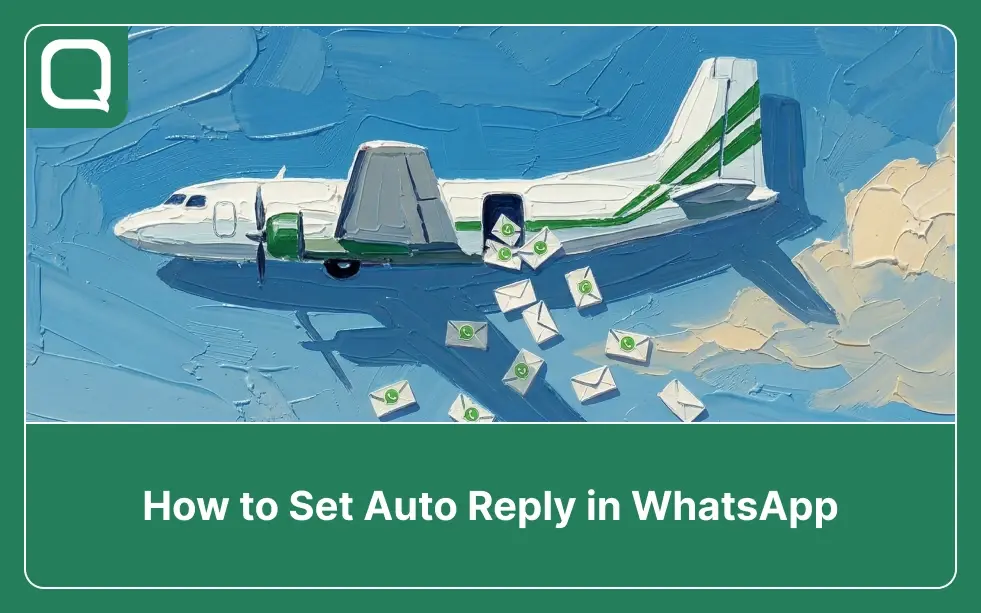
WhatsApp auto reply is a feature that sends a pre-written message automatically when a customer contacts your business, either outside of business hours or as an immediate acknowledgment the moment their message arrives.
Rather than leaving customers staring at an unread message indicator, auto reply ensures they receive an instant response that sets expectations, provides useful information, or guides them toward the next step.
For businesses operating in markets like Malaysia, the Philippines, and Singapore auto reply is a baseline expectation. Customers in these markets are accustomed to fast, responsive messaging, and a delayed or absent reply is often enough to push them toward a competitor.
In fact, using WhatsApp effectively for customer service means ensuring that every conversation starts with an immediate, professional response.
Beyond avoiding lost opportunities, auto reply also helps businesses scale. As message volume grows, the gap between what a team can handle manually and what customers expect widens. Auto reply bridges that gap handling the first touch automatically, so human agents can focus on conversations that genuinely require their attention.
Why Most Businesses Set Auto Reply Wrong
Setting up WhatsApp auto reply sounds straightforward. And at a basic level, it is. But the reality is that most businesses either underuse the feature. Setting a generic “We’ll get back to you soon” message and calling it done, or they reach the limits of the native app and don’t realize there’s a better way forward.
The two most common failure modes are worth understanding clearly, because both lead to the same outcome: customers who don’t get the experience they expect.
1. The Generic Away Message
A message that reads “Thanks for contacting us. We are currently unavailable and will respond during business hours” technically counts as an auto reply. But it does almost nothing useful. It does not tell the customer when to expect a response. It does not give them any useful information. It does not qualify their intent.
And it certainly does not move them closer to a resolution. Consequently, many customers who receive this message simply don’t bother waiting, they look elsewhere.
2. Hitting the Ceiling of the Standard App
The free WhatsApp Business App offers two types of auto reply: away messages and greeting messages. These are useful for small businesses handling low volumes of relatively simple inquiries. However, as the business grows, these features quickly reveal their limitations.
There is no keyword-based routing, no integration with a CRM, no ability to trigger different responses based on the customer’s input, and no way to hand off seamlessly to a human agent once the automated greeting has been sent. Furthermore, there is no visibility into how customers are responding to those automated messages.
That is a job for the WhatsApp Business API, and understanding the difference between the two is one of the most important decisions a growing business will make.
Types of WhatsApp Auto Reply: Knowing Which One to Use
Not all auto reply scenarios are the same. Therefore, before setting anything up, it helps to understand the different types available and what each one is actually designed to do. Knowing the right type for your situation is the difference between a message that genuinely helps customers and one that simply acknowledges their existence.
1. Greeting Messages
A greeting message is sent automatically when a customer contacts your business for the first time, or after 14 days of inactivity. Think of it as the digital equivalent of a receptionist saying “Welcome, how can I help you?” It is an immediate acknowledgment that the customer’s message has been received and that your business is paying attention.
Greeting messages work best when they are warm, specific, and action-oriented. Rather than a generic welcome, a well-crafted greeting message sets context (“Hi! Welcome to [Brand]. We’re here to help with orders, inquiries, and support.”) and ideally provides quick-reply options or a menu that helps the customer self-direct.
2. Away Messages
Away messages are triggered when a customer messages outside of your configured business hours. Unlike a greeting message, the away message explicitly acknowledges the timing and sets a realistic expectation for when a response will arrive.
A good away message does not just apologize for the inconvenience, it also provides something useful, such as a FAQ link, an estimated response time, or an alternative contact in urgent cases.
3. Keyword-Based Auto Replies
This is where auto reply moves beyond the standard app and into more sophisticated territory. Keyword-based auto replies that are available through WhatsApp Business API and a third-party platform, trigger specific responses based on words or phrases in the customer’s message.
This approach transforms auto reply from a passive acknowledgment into an active triage system. One that qualifies intent, provides relevant information, and routes conversations intelligently without requiring a human to touch every incoming message.
4. Chatbot-Powered Automated Flows
At the most sophisticated level, WhatsApp chatbots take auto reply to its logical conclusion. An automated conversation flow that can collect customer information, answer multi-step questions, process simple transactions, and route to human agents based on the conversation’s content.
Each type serves a different stage of business maturity and message volume. For businesses just starting out, greeting and away messages provide a solid foundation.
As volume grows and expectations rise, however, keyword-based routing and chatbot-powered flows are what make the difference between a WhatsApp setup that scales and one that breaks. With the right type clearly in mind, the next step is understanding how to actually configure these features, starting with the standard WhatsApp Business App.
How to Set Auto Reply in WhatsApp Business App
For businesses just getting started, the WhatsApp Business App provides native auto reply features that require no technical setup. While the options are relatively straightforward, how you configure them matters significantly and getting the details right from the beginning saves a lot of frustration later.
1. Setting Up a Greeting Message
To configure a greeting message, open the WhatsApp Business App, navigate to Settings, then Business Tools, then Greeting Message. Toggle it on, write your message, and select who receives it. Either all contacts, people not in your contact list, contacts who haven’t messaged in 14 days, or a specific list. Save the settings, and your greeting message is live.
A strong greeting message for a Malaysian retail brand, for example, might read:
“Hi! Thanks for reaching out to [Brand]. We’re here to help with orders, product questions, and returns. How can we assist you today?”
That said, even a well-written greeting message is still a static, one-way communication, it does not adapt based on what the customer is asking or who they are.
2. Setting Up an Away Message
To configure an away message, go to Settings, then Business Tools, then Away Message. Toggle it on, write your message, and configure the schedule. Either “Always send,” “Custom Schedule,” or “Outside of business hours.”
The schedule option is particularly important: setting it to match your actual operating hours ensures customers who message at 2am in Manila get an honest and useful response, while customers who message during peak hours receive your greeting message instead.
A practical away message might read:
“Hi! Our team is currently offline. We’re available Monday to Friday, 9am–6pm SGT. We’ll reply as soon as we’re back — in the meantime, you can check our FAQ at [link].”
3. Limitations to Be Aware Of
Even when configured well, the standard app’s auto reply capabilities come with meaningful constraints. There is no ability to set different replies for different message types. There is no analytics visibility into how customers respond to those automated messages. There is no seamless handoff from auto reply to a human agent within a structured workflow.
And as soon as the business grows to a point where multiple agents are needed, the standard app’s coordination limitations, compound the problem further.
This is precisely why understanding when to move beyond the standard app matters so much.
For businesses that are growing, handling higher volumes, or operating across multiple team members, these limitations will surface quickly. That is when moving to the WhatsApp Business API becomes not just an option, but a necessity.
How to Set Auto Reply in WhatsApp Business API
For businesses that have moved to the WhatsApp Business API either because of volume, team size, or the need for automation auto reply capabilities expand significantly. Through an API-connected platform like Qiscus, auto reply becomes part of a broader automated conversation architecture rather than a standalone feature.
1. Automated Greeting and Qualification Flows
With the API, the moment a customer sends their first message, an automated flow can greet them, present a structured menu of options, collect their name and inquiry type, and route them to the appropriate team, all without human intervention. This is fundamentally different from a static greeting message. The conversation is dynamic, responsive, and intelligent.
2. Keyword-Triggered Routing
Rather than routing all conversations to a generic queue, keyword-based routing sends each conversation to the team most equipped to handle it. As a result, a customer asking about “delivery” goes directly to logistics. A customer asking about “invoice” reaches finance. A customer typing “urgent” is flagged and escalated automatically. This kind of intelligent triage is one of the most meaningful benefits of smart agent allocation through the API.
3. After-Hours Automation
Unlike the standard app’s static away message, API-connected automation can do significantly more outside of business hours. Specifically, it can collect the customer’s name, phone number, and inquiry details; log the conversation in the CRM; and trigger an automatic follow-up from a human agent the next morning.
Consequently, the customer does not have to repeat themselves, and the agent starts the conversation with everything they need.
4. Integration with CRM and Backend Systems
Because the API connects to external systems, auto reply messages can be personalized based on customer data. A returning customer can receive a greeting that references their previous order. A customer whose delivery is overdue can receive a proactive status update before they even ask. This level of personalization is powered by WhatsApp Business API in the customer journey. This is simply not possible with the standard app.
Taken together, these API-powered capabilities represent a fundamentally different approach to customer communication. With the infrastructure understood, it is worth seeing what this looks like across industries in the real world.
Auto Reply in Action: Real Business Use Cases
Understanding the theory is useful, but seeing how auto reply works in practice across different industries makes the value concrete. The following examples illustrate how businesses in Southeast Asia and beyond are using it effectively. Across every case, the consistent factor is not the industry — it is the decision to treat auto reply as a business tool rather than a basic courtesy feature.
1. E-Commerce: Instant Order Status Replies (Malaysia & Philippines)
Fast-growing online retailers on platforms like Shopee and Lazada in Malaysia and the Philippines receive hundreds of daily WhatsApp inquiries about order status, return eligibility, and product availability. Rather than having agents manually respond to each “Where is my order?” message, keyword-based auto reply instantly provides an order tracking link when the customer types “track” or “order status.” This single automation alone can reduce the manual workload on a customer service team by 30–40% during peak campaign periods, freeing agents to focus on more complex issues.
2. Healthcare: After-Hours Appointment Acknowledgment (Singapore & Philippines)
Private clinics and hospital groups in Singapore and Metro Manila use WhatsApp as their primary appointment booking channel. However, a significant portion of booking requests arrive outside of clinic hours. With API-powered auto reply, every after-hours booking request is immediately acknowledged.
The patient’s preferred appointment slot is captured, and a confirmation is automatically scheduled for the following morning. As a result, no-show rates decrease and patient satisfaction improves because the experience feels responsive even when the clinic is closed.
3. Financial Services: FAQ Automation for Common Queries (Malaysia & Singapore)
Banks and insurance companies in Malaysia and Singapore use keyword-based auto reply to handle the high volume of repetitive questions that would otherwise clog their agent queues. By automating responses to the 15–20 most common queries, these businesses significantly reduce agent load while still maintaining fast response times.
Moreover, because the WhatsApp Business API supports auto-reply features specifically for this purpose, the implementation is clean and fully compliant with their operational requirements.
What these examples share is not scale or budget — it is intent. Each business made a deliberate decision to configure auto reply around customer outcomes rather than operational convenience. That shift in mindset is what turns a basic feature into a competitive advantage. And for businesses that want to take it further, the next step is thinking beyond auto reply entirely.
Beyond Auto Reply: What a Truly Scalable WhatsApp Setup Looks Like
Auto reply is, ultimately, the first step. For businesses that are serious about using WhatsApp as a revenue and service channel, auto reply needs to be part of a broader infrastructure that includes agent management, analytics, CRM integration, and an omnichannel approach that connects WhatsApp with all other customer touchpoints.
The businesses that gain the most from WhatsApp are not simply the ones with the best away message. Rather, they are the ones that have built an end-to-end customer communication workflow where auto reply handles the first touch, chatbots manage routine inquiries, human agents focus on high-value conversations, and analytics provide the visibility to continuously improve.
That combination is what separates businesses that deliver consistently excellent customer experiences from those that scramble to keep up.
Moreover, the leap from standard app auto reply to API-powered automation is not as large as it might seem. With the right partner and the right platform, the transition can be straightforward and the difference in capability is substantial.
The question, then, is not whether to invest in a more scalable WhatsApp setup, it is which platform is best equipped to help you build it. That is exactly where Qiscus comes in.
How Qiscus Helps You Build a Smarter WhatsApp Auto Reply System
Qiscus is an official WhatsApp Business Solution Provider (BSP) and omnichannel customer engagement platform built for businesses that want to go beyond basic auto reply and build a genuinely scalable WhatsApp communication system. Rather than offering a one-size-fits-all solution, Qiscus provides the full system stack, so businesses can build an auto reply experience that actually grows with them.
1. Intelligent Auto Reply
Qiscus AgentLabs empowers your team to respond faster and more consistently by suggesting the right replies based on conversation context. So even when a human agent takes over from an automated flow, the transition feels seamless and informed. For businesses handling high volumes of similar inquiries, Copilot significantly reduces the time agents spend drafting responses from scratch.
2. Centralized Conversation Management
Qiscus Omnichannel Chat ensures that every auto reply-initiated conversation, lands in a single, structured inbox. Agents pick up where the automation left off, with full conversation history and customer context already in view. No tab-switching, no lost threads, no customer ever having to repeat themselves.
3. Customer Data Personalization
Qiscus CDP (Customer Data Platform) connects customer profile data directly to your WhatsApp auto reply flows. As a result, returning customers receive greetings that reference their previous interactions, while new customers receive onboarding flows tailored to their specific inquiry type. This transforms auto reply from a generic acknowledgment into a genuinely personalized first touch that builds trust from the very first message.
4. Proactive Re-Engagement
Once a customer has engaged through an auto reply flow and opted in, WhatsApp Broadcast allows your team to proactively follow up with targeted campaigns at scale. Broadcast works in tandem with your auto reply setup, so the initial automated conversation and all subsequent outbound messaging are managed within the same platform.
5. Post-Interaction Feedback
Qiscus Survey enables businesses to automatically trigger a short customer satisfaction survey at the close of every auto reply-handled conversation. This creates a continuous feedback loop, giving teams the data they need to refine automated flows, improve response quality, and identify the types of inquiries that need more human attention over time.
Auto reply done right is the foundation of a customer communication system that never sleeps, never drops a lead, and never leaves a customer wondering if anyone is listening. And with the right platform behind it, building that foundation is more straightforward than most businesses expect.
Start Automating the Right Way with Qiscus
Setting up WhatsApp auto reply is not just about keeping customers from waiting. It is about creating a first-touch experience that is fast, relevant, and intelligent. One that sets the tone for the entire customer relationship.
The basic auto reply available in the WhatsApp Business App is a good starting point. However, as your business grows, the gap between what the standard app can do and what your customers expect will continue to widen. .
Every business in Malaysia, Singapore, the Philippines, and beyond already has competitors who are responding faster. The real question is whether your WhatsApp setup is helping you keep up, or quietly holding you back. Talk to our team, today!