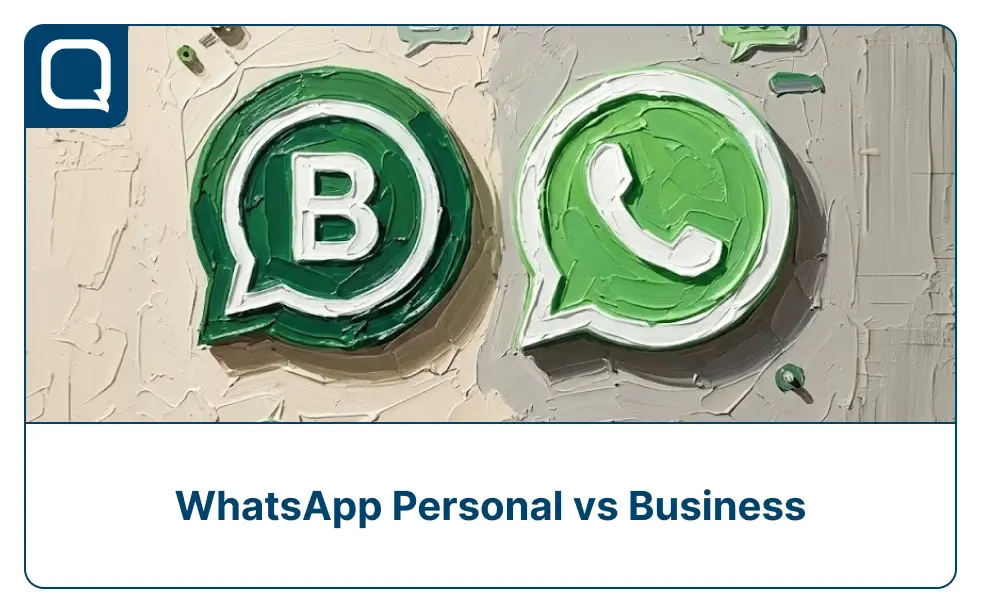
Companies still face a common question: should they use WhatsApp Personal or WhatsApp Business?
Among messaging platforms, WhatsApp stands out as one of the most widely used messaging apps globally. With billions of users, many businesses have started using it to communicate directly with customers. Understanding WhatsApp Personal vs Business helps organizations choose the right communication setup, especially as customer conversations continue to grow in volume.
In this article, we’ll explore the differences between the two, their advantages, and how businesses can decide which version fits their needs.
WhatsApp Personal vs WhatsApp Business: Understanding the Basics
Before comparing features in detail, it’s important to understand the fundamental purpose of WhatsApp Personal and WhatsApp Business. While both applications share similar interfaces and messaging capabilities, they are built for different types of users.
WhatsApp Personal is designed for everyday communication between individuals, while WhatsApp Business introduces additional tools that help companies manage customer interactions more efficiently. The table below explains the main differences in their purpose and core capabilities.
| Aspect | WhatsApp Personal | WhatsApp Business |
| Purpose | Designed for individual communication with friends, family, and personal contacts. | Built for small and medium-sized businesses that want to communicate with customers professionally. |
| Core Messaging Features | Designed for individual communication with friends, family, and personal contacts. | Includes the same messaging capabilities as the personal version, allowing businesses to communicate with customers easily. |
| Security | Messages are protected with end-to-end encryption, ensuring conversations remain private between users. | Also provides end-to-end encryption, ensuring secure communication between businesses and customers. |
| Business Profile | Does not include business identity features beyond a user name and phone number. | Allows companies to create a business profile with details such as business name, address, website, and description. |
| Automation Tools | Does not support automated responses or messaging workflows. All messages must be handled manually. | Includes basic automation tools such as greeting messages, quick replies, and away messages to help businesses respond faster. |
| Conversation Management | Chats appear in a standard message list without advanced organization features. | Provides labels that allow businesses categorize and organize customer conversations |
In short, WhatsApp Personal works well for everyday communication but lacks the structure needed for managing customer interactions. WhatsApp Business provides additional tools that help small businesses organize conversations, respond more efficiently, and maintain a more professional presence when communicating with customers.
WhatsApp Personal vs WhatsApp Business: Key Features
Both WhatsApp Personal and WhatsApp Business allow users to communicate through messaging and calls, but they are designed for different use cases. WhatsApp Personal focuses on everyday communication between individuals, while WhatsApp Business includes additional tools that help companies manage customer conversations more professionally.
Below is a comparison of the key features available in each version.
| Key Features | WhatsApp Personal | WhatsApp Business |
| One-to-one messaging | Send private messages to individual contacts. | Supports the same messaging capability for customer communication. |
| Group chats | Create groups to communicate with multiple contacts. | Also supports group chats for business-related discussions. |
| Voice and video calls | Allows users to make voice and video calls through the app. | Includes the same calling features for customer communication |
| Media sharing | Users can share photos, videos, documents, and voice notes | Businesses can share media such as product photos, invoices or documents. |
| End-to-end encryption | Conversations are secured so only participants can read messages. | Provides the same encryption for secure communication with customers |
| Business profiles | Not available. Personal account might display name and phone number | Business can create profile with details such as business name, address, description, website, and operating hours |
| Greeting messages | Not available | Businesses can automatically send greeting messages to new customers |
| Away messages | Not available | Businesses can automate replies when they are unavailable |
| Quick replies | Not available | Businesses can save FAQs |
| Product catalogs | Not available | Businesses can show directly within the WhatsApp profile |
| Chat labels | Not available | Businesses can organize conversations using labels such as new customer, pending order, or completed order. |
These additional features make WhatsApp Business more suitable for companies that want to manage customer conversations efficiently. While WhatsApp Personal works well for individual communication, businesses often require structured tools such as automation, conversation organization, and professional profiles to handle customer interactions effectively.
When Should Businesses Use WhatsApp Personal vs WhatsApp Business?
Choosing between WhatsApp Personal and WhatsApp Business depends largely on the scale of customer interactions and the level of professionalism a business wants to maintain. While both apps enable direct messaging, their suitability changes as a business grows and customer communication becomes more complex.
Below are common scenarios where each option may work best.
1. When WhatsApp Personal May Be Sufficient
In some early-stage situations, WhatsApp Personal can still support simple business communication.
- Freelancers communicating with a few clients
- Micro businesses with limited inquiries
- Informal sales conversations
For example, a home-based bakery receiving a handful of daily orders may use a personal account to confirm orders and respond to questions. However, as customer inquiries increase, manually managing messages can quickly become inefficient and difficult to organize.
2. When WhatsApp Business Is the Better Choice
As businesses grow, structured communication becomes more important. WhatsApp Business provides tools designed to support more professional and organized customer interactions.
- Presenting a professional brand identity
- Organizing customer conversations
- Responding quickly to common questions
- Automating basic responses
For many small retailers, restaurants, and service providers, these features significantly improve communication efficiency and help create a more professional customer experience as the business grows.
The Limitations of WhatsApp for Growing Businesses
While WhatsApp Business offers useful tools for small businesses, it can become limiting as companies begin handling larger volumes of customer conversations. As support teams grow and inquiries increase, managing communication through the standard WhatsApp interface often becomes less efficient.
Below are several common limitations businesses encounter.
1. Limited Multi-Agent Collaboration
WhatsApp conversations are usually managed through a single primary account. This setup makes it difficult for multiple agents to work on customer inquiries simultaneously, which can slow down response times for larger teams.
2. Difficulty Managing High Message Volumes
As the number of customer inquiries grows, tracking conversations manually becomes challenging. Messages may arrive from many customers at once, increasing the risk of missed or delayed responses.
3. Limited Conversation Organization
Although WhatsApp Business offers basic chat labels, these tools may not be sufficient for managing complex customer interactions. Businesses handling large numbers of inquiries often require more structured workflows to track conversations effectively.
4. Lack of Advanced Analytics
Growing companies often need insights into performance metrics such as response time, agent productivity, and customer satisfaction. WhatsApp’s built-in tools provide limited reporting, making it difficult to analyze support performance.
5. Limited Integration with Business Systems
Many organizations need their messaging platform to connect with CRM systems, helpdesk tools, or internal databases. Standard WhatsApp applications offer limited integration capabilities, which can restrict operational efficiency.
Because of these limitations, many growing companies eventually adopt customer communication platforms that integrate WhatsApp into larger customer support systems. These platforms help businesses manage conversations more effectively while maintaining the convenience of WhatsApp as a customer communication channel.
What Is WhatsApp Business API and Why Is It a Better Option for Growing Businesses?
While WhatsApp Personal and WhatsApp Business work well for individuals and small businesses, companies that manage large volumes of customer conversations often require a more scalable solution. This is where the WhatsApp Business API becomes important.
The WhatsApp Business API is designed for medium to large businesses that need to handle thousands of customer interactions across multiple agents and communication channels. Unlike the standard WhatsApp Business app, the API version allows companies to integrate WhatsApp directly into their existing customer service platforms, CRM systems, and automation tools.
Because of these capabilities, many organizations use WhatsApp Business API as part of a larger customer engagement infrastructure. Here’s key feature of WhatsApp Business API:
1. Multi-Agent Customer Support
WhatsApp Personal and WhatsApp Business are typically managed on a single device. This makes collaboration difficult when multiple agents need to respond to customers.
With WhatsApp Business API, businesses can enable multiple customer service agents to manage conversations simultaneously through a shared support platform.
2. Automation and Chatbot Integration
WhatsApp Business API allows companies to integrate AI chatbots and automated workflows to handle repetitive customer inquiries.
For example, businesses can automate responses for:
- Order tracking
- Payment confirmation
- Account verification
- Frequently asked questions
This significantly reduces agent workload and improves response speed.
3. Integration with Business Systems
One of the biggest advantages of WhatsApp Business API is its ability to integrate with other business tools.
Companies can connect WhatsApp with:
- Customer Relationship Management (CRM) systems
- Customer service platforms
- Marketing automation tools
- Internal databases
This integration allows agents to access complete customer information during conversations, enabling faster and more personalized support.
4. Advanced Messaging Capabilities
WhatsApp Business API supports structured message templates, allowing companies to send notifications such as:
- Order updates
- Delivery confirmations
- Appointment reminders
- Payment alerts
These proactive messages help businesses communicate important updates without waiting for customers to initiate a conversation.
5. Scalability for High Message Volumes
Unlike the standard WhatsApp Business app, the API is designed to handle large-scale messaging operations.
Companies in industries such as e-commerce, fintech, logistics, and airlines often use WhatsApp Business API to manage thousands of customer conversations daily.
Overall, the WhatsApp Business API provides the infrastructure businesses need to scale their customer communication. By enabling automation, multi-agent collaboration, and integration with existing systems, it allows companies to manage large volumes of conversations while maintaining fast and reliable customer service.
E-Commerce Customer Communication with WhatsApp Business API
Indonesia-based beauty e-commerce platform Sociolla handles a high volume of customer interactions daily, ranging from order confirmations to delivery updates and product inquiries.
As the business scaled, relying on standard messaging tools became inefficient. To improve response speed and manage large volumes of conversations, Sociolla adopted the WhatsApp Business API as part of its customer communication strategy.
With WhatsApp Business API, the company can:
- Send automated order confirmations and delivery updates
- Provide real-time customer support with multiple agents
- Use chatbots to handle frequently asked questions
- Deliver personalized promotions and product recommendations
This approach allows Sociolla to maintain fast, consistent communication while handling thousands of customer interactions efficiently.
By combining automation with human support, the company improves both customer experience and operational efficiency, especially during high-traffic campaigns such as flash sales or promotional events.
How Qiscus Helps Businesses Maximize WhatsApp Business API
While the WhatsApp Business API provides powerful messaging capabilities, businesses still need a customer engagement platform to manage conversations, automation, and team collaboration effectively. This is where solutions from Qiscus help organizations unlock the full potential of WhatsApp for customer communication.
By integrating WhatsApp Business API with Qiscus, companies can manage customer interactions through a unified platform designed for scalable support operations.
1. Centralized Customer Conversations
Qiscus allows businesses to manage WhatsApp conversations alongside other channels such as Instagram, email, and website chat within one dashboard omnichannel. This unified view enables agents to access conversation history and respond to customers more efficiently without switching between platforms.
2. AI-Powered Automation
With Qiscus AgentLabs, businesses can deploy AI-powered agents that automatically respond to repetitive inquiries such as order tracking, FAQs, or account verification. Automation helps reduce agent workload while ensuring customers receive quick responses.
3. Proactive Messaging
Qiscus WhatsApp Broadcast allows businesses to send proactive notifications and updates to customers at scale. Companies can deliver order confirmations, service announcements, and promotional messages directly through WhatsApp, helping reduce inbound inquiries and keep customers informed.
4. Agent Productivity
Customer service agents can also receive real-time assistance through Qiscus Agent Copilot. This feature helps agents respond faster by suggesting replies, retrieving relevant information, and summarizing customer issues during conversations.
5. Scalable Customer Engagement Infrastructure
By combining the capabilities of WhatsApp Business API with Qiscus solutions, businesses can build a scalable messaging infrastructure that supports high volumes of customer interactions while maintaining fast and consistent responses.
In practice, this integration allows organizations to transform WhatsApp from a simple messaging app into a comprehensive customer engagement channel that supports automation, agent productivity, and large-scale communication
WhatsApp Solution for Your Business with Qiscus
Understanding the differences between WhatsApp Personal and WhatsApp Business is essential for companies that rely on messaging to communicate with customers. While WhatsApp Personal is built for individual use, WhatsApp Business provides tools that help small businesses manage conversations more professionally.
However, as customer inquiries grow, both options can become limiting. For growing companies, the WhatsApp Business API offers a more scalable solution with multi-agent support, automation, and system integrations.
By combining it with platforms like Qiscus, businesses can streamline operations, respond faster, and deliver more organized customer experiences. Explore how Qiscus can help you scale your WhatsApp communication and provide faster, smarter customer support today.