Choosing the right tools for patient communication via WhatsApp decides whether your front desk spends Monday morning calling no-show patients or watching confirmations arrive on their own. Patients already message clinics on WhatsApp. They ask about doctor schedules, lab results pickup, insurance coverage and parking, often all before 9 a.m. When those messages land on one shared phone, replies slow down and bookings slip away.
This guide breaks down the full tool stack a hospital or clinic needs to run patient communication on WhatsApp at scale. You will see what each tool does, where it fits in the patient journey, how the tools work together, and how to choose and roll them out without disrupting care teams. Every tool is tied to a problem your patient service team faces today.
Why Patient Communication on WhatsApp Needs More Than One Tool
Patient communication on WhatsApp needs a stack of tools because one tool cannot cover every stage of the patient journey. Booking, reminders, pre-visit questions, results updates and feedback each need different capabilities. A clinic that relies only on the free WhatsApp Business app quickly hits limits on agents, automation and reporting, and patients feel the delay.
1. Patient Expectations Have Moved to Chat
Patients now expect the same speed from their clinic that they get from an online store. They want to book, reschedule and ask simple questions in the app they open dozens of times a day. Phone lines and email still matter, but they no longer set the pace.
For a CS manager, this changes the job. Your team is no longer judged only on call handling time. It is judged on how fast and how accurately it answers chats across the whole day.
2. Manual Messaging Breaks at Scale
A single receptionist can manage a few dozen chats on one phone. A hospital with several departments cannot. Messages get lost between shifts, two staff members answer the same patient, and nobody can see which questions are still open.
The cost shows up as missed appointments, repeated calls and frustrated patients. Every unanswered booking request is revenue that walks to the clinic down the street.
3. Healthcare Messages Carry Higher Stakes
A late reply from a retailer is an annoyance. A late reply about a test preparation instruction or a cancelled surgery slot can affect care. Healthcare teams need clear ownership of every conversation, an audit trail, and a fast route from automation to a human staff member.
That is why the right patient communication tools are about control as much as convenience.
The Core Tools for Patient Communication via WhatsApp
The core tools for patient communication via WhatsApp are an official WhatsApp Business API account, a shared omnichannel inbox, template-based reminders, an AI Agent with human handover, a helpdesk for follow-up cases, broadcast for health campaigns, in-chat forms and patient surveys. Each tool solves one specific bottleneck, and together they cover the full patient journey.
1. Official WhatsApp Business API Account
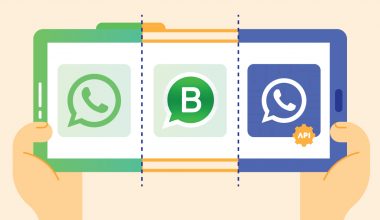
Everything starts with the WhatsApp Business API. Unlike the free app, the API lets many staff members work from one verified hospital number. It also connects the number to booking and hospital systems and sends approved template messages at scale.
The API also allows your hospital to apply for the official blue tick. The badge helps patients trust that they are messaging the real clinic and not an impersonator. For healthcare brands, that trust signal matters because patients share personal details in the chat.
2. Shared Omnichannel Inbox for Patient Conversations
A shared inbox lets your whole patient service team answer WhatsApp chats from one dashboard instead of one phone. An omnichannel inbox for patient conversations also pulls in Instagram, website live chat and email. A patient who starts on Instagram and continues on WhatsApp keeps one history.
Routing rules send chats to the right department, such as radiology, pediatrics or billing. Supervisors can see open, waiting and resolved conversations in real time. This is the tool that turns WhatsApp from a phone in a drawer into a managed service channel. Teams that want to share one number across many staff can read more about WhatsApp multi agent setups.
3. Appointment Reminders Through Template Messages
Appointment reminders are the fastest win in most clinics. With approved template messages, your system can send a confirmation right after booking, a reminder a day before, and a follow-up after the visit. Patients can confirm or reschedule with a quick reply button.
Meta must approve templates before use, so it pays to plan them carefully. This guide to WhatsApp Business API message templates explains categories and approval. For automated alerts such as lab results readiness, see how WhatsApp push notification flows work.
4. AI Agent for Patient FAQs and Triage Routing
Most incoming patient chats repeat the same questions. Doctor schedules, opening hours, insurance partners, blood test preparation and directions make up a large share of the volume. An AI Agent for patient FAQs answers these from your approved knowledge base around the clock.
The AI Agent should never give medical advice. Its job is to answer administrative questions, collect basic details and route the patient to the right human team. When a patient mentions symptoms or urgency, the conversation should hand over to staff instantly.
This guide on the handover between chatbot and human customer service covers how to design that switch. You can also explore how an AI Agent on WhatsApp works in practice.
5. Helpdesk Ticketing for Follow-Up Cases
Some patient requests cannot be solved in one chat. Billing disputes, medical record requests and insurance claims need several teams and several days. A helpdesk ticketing system turns these chats into tracked tickets with an owner, a priority and a due date.
Ticketing prevents the classic problem where a patient is promised a callback that never comes. Supervisors can see which cases are overdue and step in before a complaint escalates.
6. Broadcast for Health Campaigns and Announcements
Hospitals regularly need to reach many patients at once. Vaccination drives, health screening packages, new specialist schedules and holiday opening hours are typical examples. WhatsApp broadcast for health campaigns lets you send these to opted-in patient segments with approved templates.
Broadcast works best when it is targeted and respectful. Send only to patients who agreed to receive updates, segment by relevant criteria, and avoid sending too often. Timing also matters, and this guide on the best time to send WhatsApp broadcasts helps plan the schedule.
7. WhatsApp Flows for In-Chat Booking and Forms
WhatsApp Flows let patients fill in structured forms without leaving the chat. A patient can pick a department, choose a doctor, select a slot and submit basic details in a few taps. The same approach works for pre-registration and consent collection.
Flows reduce the back-and-forth that slows bookings down. Instead of ten messages to agree on a time, the patient completes one form. Learn how WhatsApp Flows work for business use cases.
8. Patient Satisfaction Surveys
Feedback closes the loop. A short CSAT or NPS survey on WhatsApp after a visit or a resolved chat usually gets more responses than an email survey. The results show which departments, doctors or processes need attention.
Survey data is most useful when it sits next to the conversation history. Your team can then trace a low score back to a specific delay or answer and fix it at the source.
How the Tools Map to the Patient Journey
The tools work best when each one has a clear stage in the patient journey. Booking and pre-visit stages rely on Flows, reminders and the AI Agent. The visit and post-visit stages rely on the shared inbox, ticketing and surveys. Mapping this upfront prevents overlapping automations that confuse patients.
| Patient journey stage | Main patient need | Primary tool | Supporting tool |
|---|---|---|---|
| Discovery | Ask about doctors, prices, insurance | AI Agent | Shared inbox |
| Booking | Pick a slot quickly | WhatsApp Flows | AI Agent |
| Pre-visit | Remember the appointment and preparation | Template reminders | Push notifications |
| Visit day | Directions, queue updates, paperwork | Shared inbox | Template messages |
| Post-visit | Results, billing, follow-up care | Helpdesk ticketing | Shared inbox |
| Retention | Screenings, campaigns, feedback | Broadcast | Surveys |
1. Before the Visit
Before the visit, speed matters most. The AI Agent handles first questions, Flows capture the booking, and template reminders reduce no-shows. Your human team only steps in for exceptions such as complex insurance questions.
2. During and After the Visit
During and after the visit, accuracy matters most. Staff use the shared inbox to send queue updates or paperwork reminders, and the helpdesk takes over cases that need several departments. A survey closes the visit.
Manual WhatsApp vs a Connected Patient Communication Stack
A connected patient communication stack outperforms manual WhatsApp because it gives every chat an owner, automates repetitive messages and keeps records in one place. Manual messaging relies on individual staff memory, which breaks during shift changes and peak hours. The table below shows the operational difference.
| Area | Manual WhatsApp on one phone | Connected stack on WhatsApp Business API |
|---|---|---|
| Number of staff replying | One or two people per phone | Many agents on one verified number |
| Appointment reminders | Typed one by one | Automated template messages |
| Repetitive questions | Answered manually every time | Answered by an AI Agent with handover |
| Follow-up cases | Tracked in notebooks or memory | Tracked as tickets with owners |
| Campaigns | Personal broadcast lists with limits | Segmented broadcast to opted-in patients |
| Reporting | Not available | Response time, volume and CSAT dashboards |
| Continuity between shifts | Lost context | Full conversation history |
1. What Changes for the Team
With a connected stack, the team stops firefighting. Agents see a queue instead of a flood, and supervisors can rebalance work when one department gets busy.
2. What Changes for Patients
Patients get faster answers, fewer repeated questions and a single thread that remembers their history. That consistency is what builds trust in a healthcare brand.
Common Challenges When Rolling Out WhatsApp Patient Communication
The most common challenges are unclear ownership between departments, poorly designed automation, weak opt-in practices and data handling concerns. Each one is solvable with planning. Clinics that address them before launch avoid the patient complaints that usually follow a rushed rollout.
1. Unclear Ownership Between Departments
When nobody owns the WhatsApp channel, chats bounce between reception, nursing and billing. Assign one owner for the channel and clear routing rules for each department before you go live.
2. Automation That Feels Cold or Unsafe
An AI Agent that loops patients through menus or attempts to answer clinical questions damages trust. Limit the AI Agent to administrative topics and make the path to a human staff member obvious at every step.
3. Weak Opt-In and Message Fatigue
Campaigns sent to patients who never agreed to receive them lead to blocks and reports. Those reports can hurt your number’s quality rating. Collect clear opt-in at registration and keep promotional messages infrequent.
4. Data Handling and Security Questions
Patient conversations involve sensitive information, so data handling deserves serious attention. Access control, audit trails and account protection are the basics. Start with these steps to secure your WhatsApp Business account. Confirm local healthcare data rules with your legal or compliance team before launch.
Strategies to Improve Patient Communication on WhatsApp
Effective patient communication on WhatsApp comes from clear service standards, well-designed message journeys and continuous measurement. These strategies apply whichever platform you choose. They focus on what your team does, so the tools in the next section have a solid process to support.
1. Set Response Time Standards per Department
Define a target first response time for each department and for each hour band. Booking chats might need a reply within five minutes, while billing questions may allow longer. Publish these targets to the team and review them weekly.
2. Design Message Journeys Before Writing Templates
Map every message a patient receives, from booking confirmation to post-visit survey. Remove duplicates, check the tone and decide which messages need reply buttons. Only then write the templates for approval.
3. Build a Clinic-Approved Knowledge Base
The AI Agent is only as good as the content behind it. Medical and administrative leads should approve every answer about schedules, preparation steps and policies. Update the knowledge base whenever a schedule or price changes.
4. Segment Patients for Relevant Campaigns
A pediatric vaccination reminder means nothing to a patient without children. Segment by department visited, age band or program enrollment so every broadcast feels useful instead of noisy.
5. Measure Outcomes, Not Just Volume
Track no-show rate, first response time, resolution time and CSAT alongside chat volume. Volume alone tells you the team is busy. Outcomes tell you whether patients are better served.
How Qiscus Brings the Patient Communication Stack Together
Hospitals that run reminders, inbox, AI Agent and surveys on separate tools lose sight of the patient journey. Staff jump between dashboards, data does not connect and reporting takes days. Qiscus, an agentic customer engagement platform, brings these tools together on the official WhatsApp Business API, so every strategy above has one place to run.
1. One Dashboard for Every Patient Conversation
Qiscus Omnichannel Chat gives your team one dashboard for WhatsApp and other channels, with routing per department and real-time supervision. Broadcasts, template messages and agent replies live in the same place. Whoever picks up the chat sees the patient’s full history.
2. AI Agent With Human Handover
Qiscus AgentLabs lets you build an AI Agent on your approved knowledge base. It answers administrative questions and hands over to staff when a conversation needs a human. This keeps automation useful without letting it stray into clinical advice.
3. Proven in Healthcare
Healthcare providers already run patient engagement this way. KPJ Healthcare reached an 88% booking conversion while scaling patient engagement with Qiscus. In Indonesia, Bethsaida Hospital improved its patient service with Qiscus.
Explore how these capabilities fit hospitals and clinics on the patient engagement solutions for healthcare page. Teams in Singapore can see the dedicated page on WhatsApp for healthcare Singapore. If you want to see the stack running on your own patient journeys, schedule a free demo with the Qiscus team.
How to Get Started With WhatsApp Patient Communication Tools
Getting started works best in phases. Begin with the official account and the shared inbox, then add automation once the team is comfortable. A phased rollout keeps patient service stable while new tools go live. Most clinics can follow the five steps below.
1. Audit Your Current Patient Conversations
Review a few weeks of patient chats and calls. Group them by topic, department and time of day. This shows which questions to automate first and where staffing gaps exist.
2. Set Up the Official WhatsApp Business API Account
Register your hospital number with a Meta Business Solution Provider, verify your business, and prepare your display name. Plan for the blue tick application if your brand qualifies.
3. Launch the Shared Inbox and Routing Rules
Connect the number to a shared inbox, create teams per department and define routing rules. Train staff on tags, notes and handover before you move patients to the new setup.
4. Add Reminders, Flows and the AI Agent
Submit your first templates for approval, starting with booking confirmation and appointment reminders. Then add a booking Flow and an AI Agent for the top ten administrative questions from your audit.
5. Measure, Survey and Expand
Turn on post-chat surveys, track no-show rate and response time, and review results monthly. Add broadcast campaigns and helpdesk ticketing once the core journey is stable. For more ideas, browse these WhatsApp Business API use cases.
Turn WhatsApp Into a Managed Patient Service Channel
WhatsApp is already where your patients are. The difference between a clinic that struggles with it and one that thrives on it is the tool stack behind the chat. An official account, a shared inbox, smart reminders and a safe AI Agent turn scattered messages into a managed service channel.
Start with the bottleneck that hurts most today, whether that is no-shows, slow replies or lost follow-ups, and build from there. Explore Qiscus’s customer engagement solutions to see how the stack can work for your hospital or clinic.
Frequently Asked Questions About Tools for Patient Communication via WhatsApp
Yes. Many hospitals and clinics use the WhatsApp Business API to send appointment reminders, answer administrative questions and share updates. The API supports many staff on one verified number and keeps conversation records, which the free app cannot do at scale.
No single tool covers everything. Most providers combine an official WhatsApp Business API account, a shared inbox, template reminders, an AI Agent with human handover and patient surveys. The best choice depends on your patient volume and departments.
An AI Agent should not give medical advice. It should answer administrative questions such as schedules, prices and preparation steps from an approved knowledge base. It should hand over to qualified staff whenever a patient raises symptoms or clinical concerns.
Reminders reach patients in an app they check often, and quick reply buttons let them confirm or reschedule in one tap. Your team can then offer freed slots to other patients instead of leaving them empty.
WhatsApp encrypts messages end to end in transit, but safety also depends on how your provider handles stored data, access control and audit trails. Review these with your provider and confirm local healthcare data rules with your compliance team before launch.